ScoreBug: Show / Hide
What it does
Shows or hides your ScoreBug. The key lights while the ScoreBug is on air.
Settings
- Output: which version it controls: 16:9, 9:16 or Both (default: 16:9).
9:16 needs a paid plan for that overlay.
Set up in a minute, open a ready-made deck, and look up what any button does.
108 buttons · 5 ready-made decks · Stream Deck, XL and Stream Deck +
You don’t need an API key or a user ID.
Still on plugin 2.0.0? Update it from the dashboard first, or paste your API key and user ID into any one button’s settings: every button shares them.

The Status key before and after you sign in
StreamSlayers keys show what is really happening on your stream, not just what you last pressed.


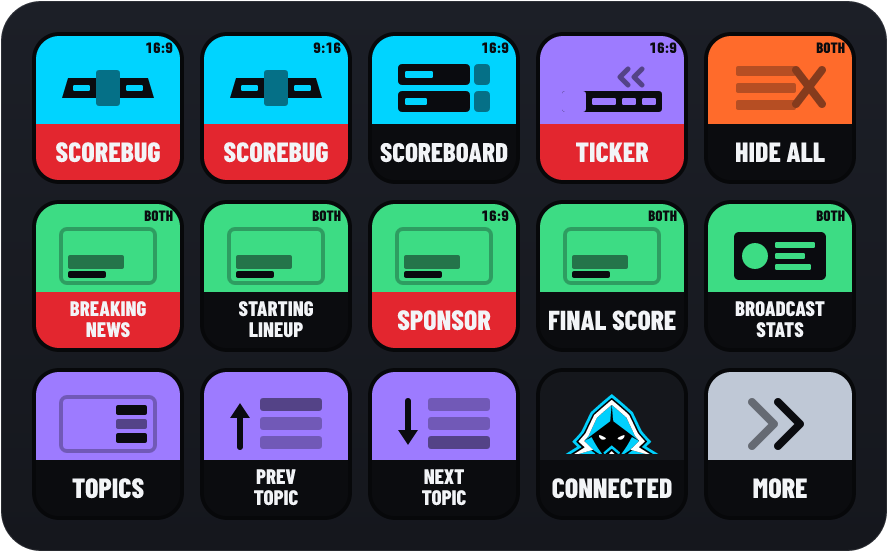
A key lights when its overlay or graphic is actually on air, as StreamSlayers reports it. Press it and nothing changes? It didn’t go on air. A grey key means the plugin doesn’t know yet (connecting or offline): it never shows a false live.




In the default look, the band under the picture turns red while a key is on air. Prefer green, or your own colour? Set Live colour in the StreamSlayers: Status key’s settings: it changes every key.
Colour Block (default) · Control Room
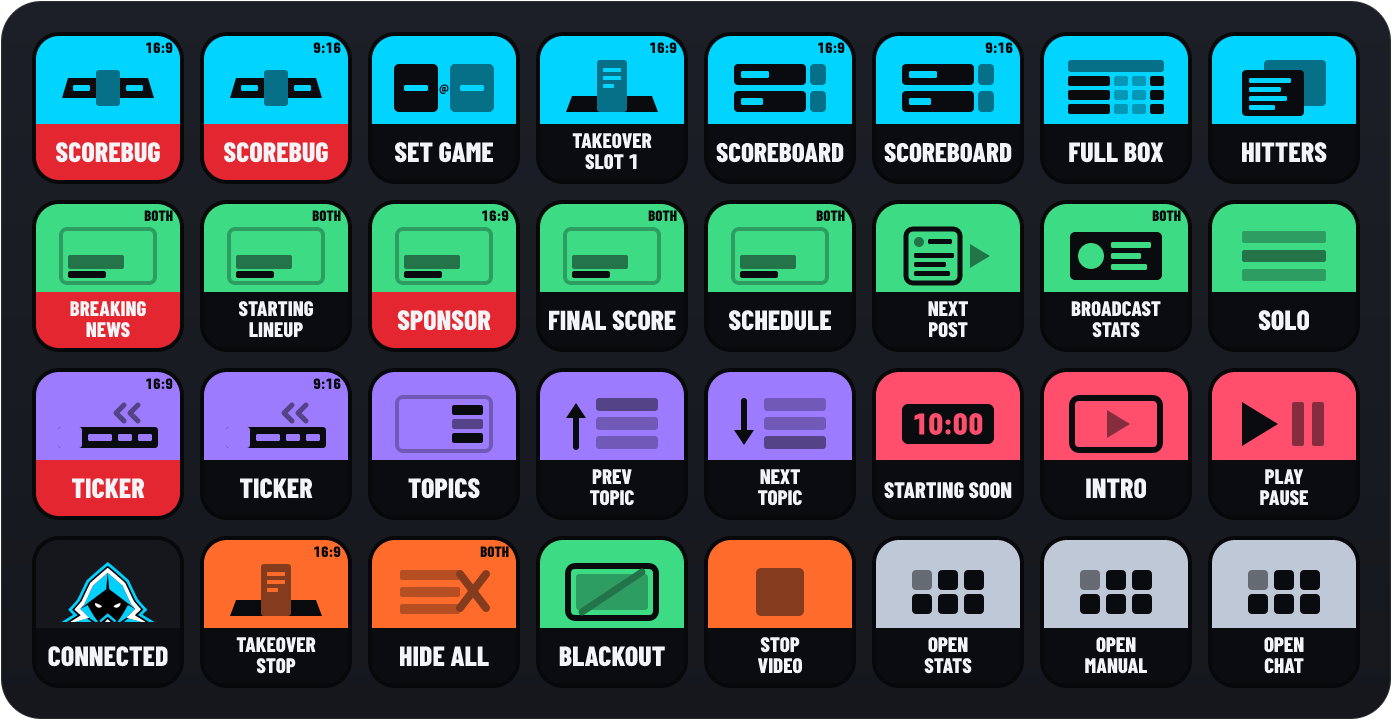
Keys come in two looks. Colour Block (the default) has the app’s colour on top and the name underneath. Control Room is a dark key that floods with colour on air. Switch with Key style in the Status key’s settings.
In the default look, the ScoreBug, Scoreboard and Graphics keys show the graphic itself. The ScoreBug key draws your ScoreBug in its theme, with both teams and the score (checked every 3 minutes while the game is live). The Scoreboard key draws your Scoreboard in its design. Each Graphics key shows a picture of the graphic you saved. The plugin takes that picture in the background with the browser already on your computer (Edge or Chrome), once per saved design; edit a graphic and its key updates by itself. Prefer the pictogram? Set Key art to Icon in that key’s settings.
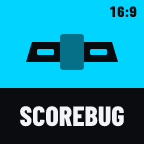
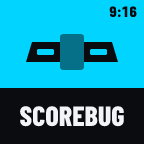
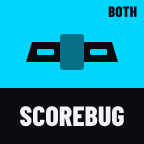
Keys that can reach your vertical (9:16) overlays wear a small tag in the corner: 16:9, 9:16 or BOTH. It’s the key’s Output setting: which version of the overlay the key controls.
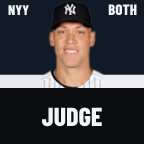
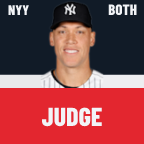
Keys about a player show their picture and name and, on the Stats deck, their number and position. Until the picture loads, the key shows a plate with their number.
A short word can flash on a key to tell you why a press didn’t go through, like SIGN IN or PAID: see what the words mean. Keys that don’t change when pressed flash a check mark when it worked.
Four decks come with the plugin, laid out for the Stream Deck (15 keys), the XL and the Stream Deck +, plus an MLB Rosters deck for the XL. Every button on them works with your own saved graphics, scenes and videos, in the order you saved them.
Keys with an arrow switch pages: MORE and MAIN on the Show deck, LIVE on the Stats deck, SETUP and each sport on the Manual deck, GAMES on the Chat deck. Every deck has an OPEN SHOW key back to the Show deck. To return to your own profile, pick it in the Stream Deck app, or put an Open Deck key set to Back to previous on an empty key.
Other Stream Deck models have no ready-made deck (Open Deck says NO PROFILE), but every button still works: drag the ones you want onto your own profile.
What you press most during a show: the ScoreBug and Scoreboard (16:9 and 9:16), your first graphics, Hide All, the ticker, topics, a countdown scene, a video, and the keys that open the other decks.
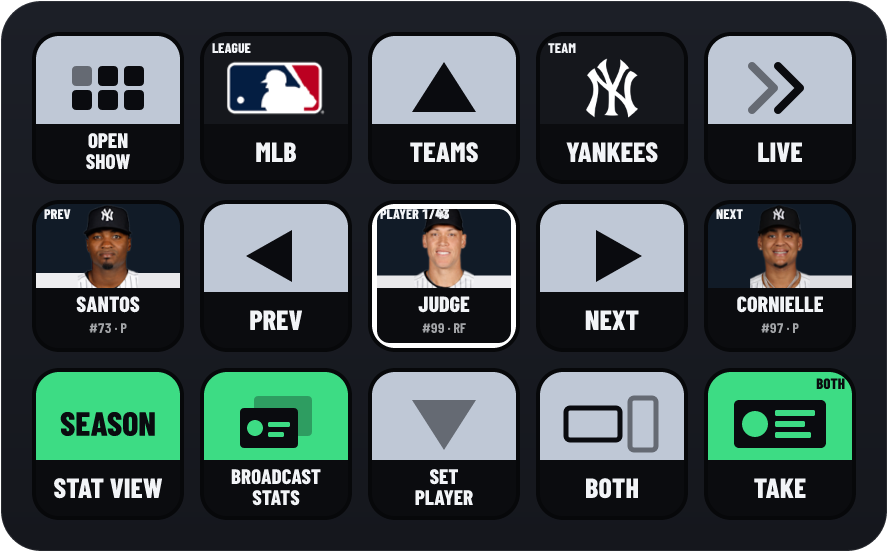
Put any player on your stat card without leaving the deck: pick a league, a team and a player, choose what the card shows, and take it on air.
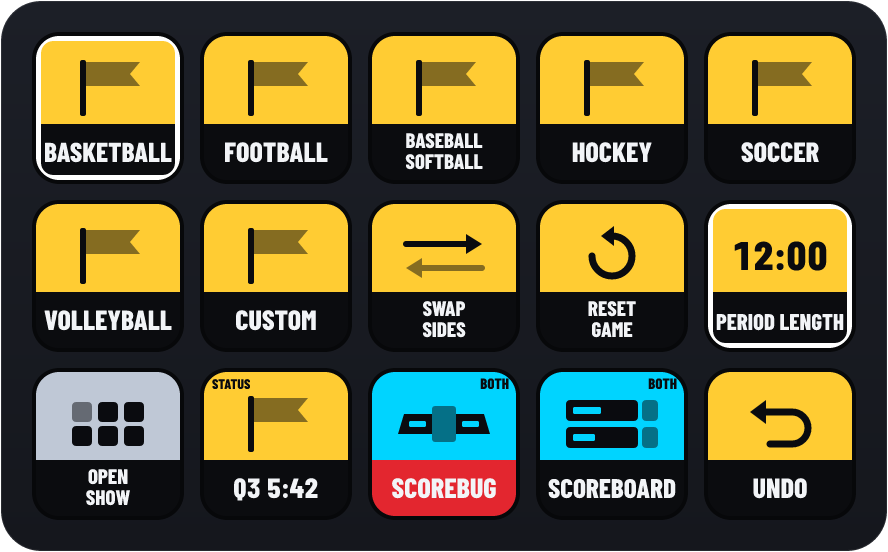
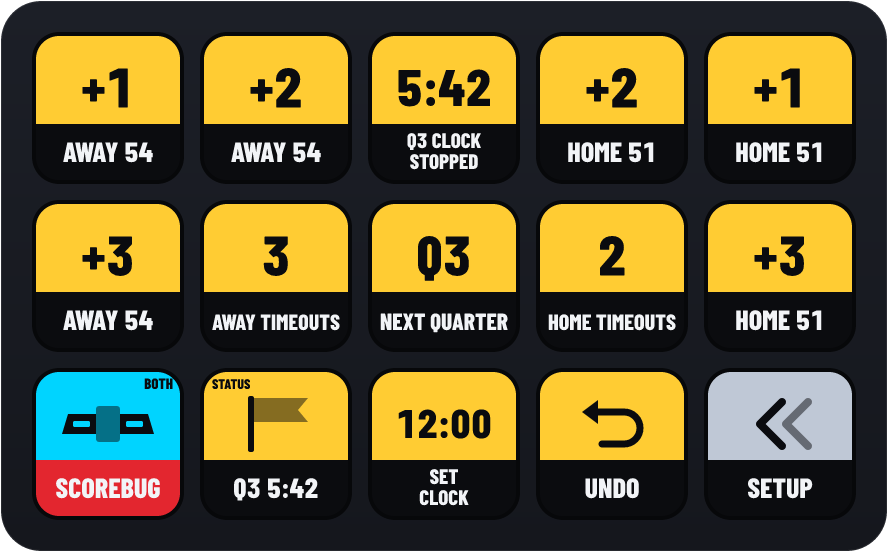
Score a game by hand in Manual Mode: a Setup page, and a page for each sport with big score keys, the clock, the period and Undo.
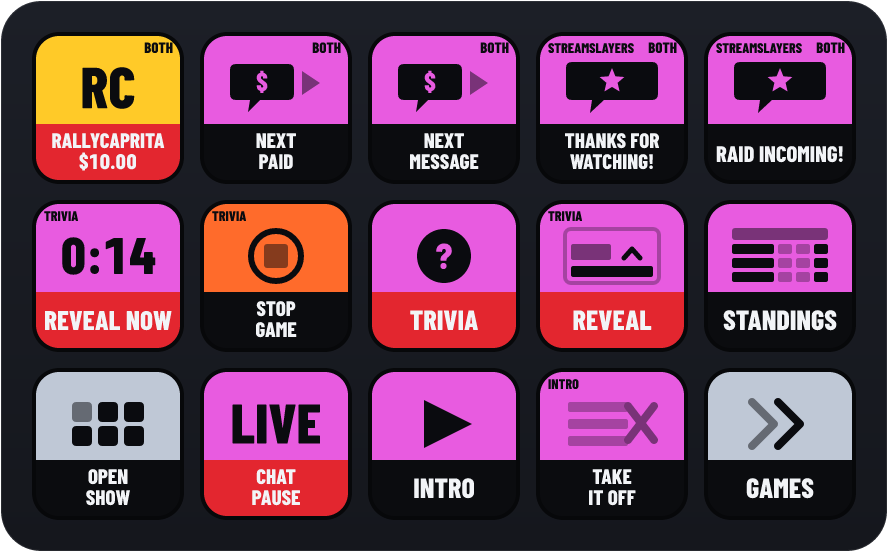
Run Chat Highlight and Chat Games: feature the next paid message, put saved messages on air, pause the listener, and start and step through games.
Every MLB team on one page. Tap a team for its 40-man roster, A to Z by last name, and tap a player to put them on your stat card, on air, in one press.
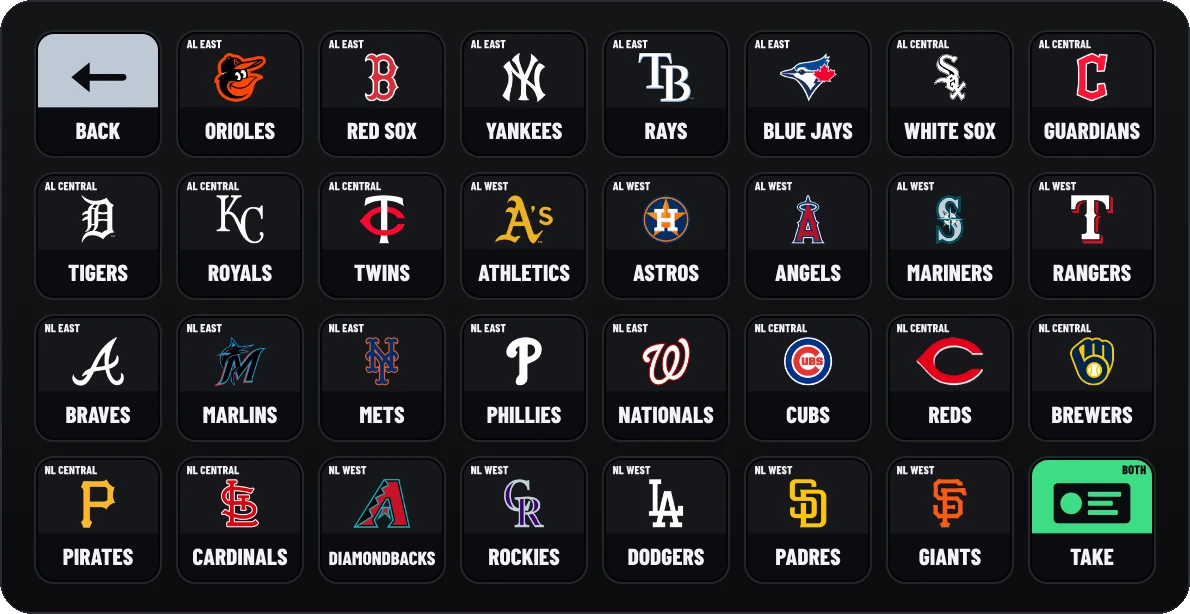
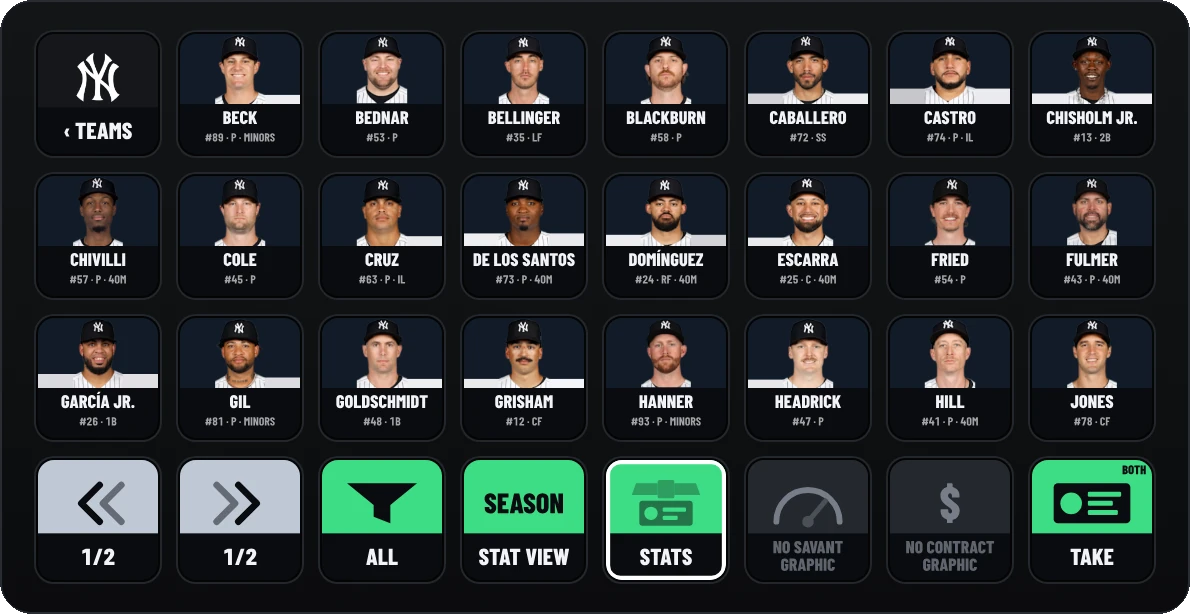
Needs plugin 2.2 or newer and a Stream Deck XL.
All 108 StreamSlayers buttons, by app. Names are exactly as the Stream Deck app lists them, so you can search for the one on your key.
108 of 108 buttons
Show the ScoreBug, pick its game and play centre takeovers.
What it does
Shows or hides your ScoreBug. The key lights while the ScoreBug is on air.
Settings
9:16 needs a paid plan for that overlay.
What it does
Puts the game you picked on the ScoreBug (its 9:16 version follows). The key shows the matchup and lights while that game is on the ScoreBug. Picking a game also turns Manual Mode off and stops the ScoreBug cycling through games.
Settings
What it does
Plays one of your centre takeovers on the ScoreBug. The key shows the takeover’s number and name.
Settings
9:16 needs a paid plan for that overlay.
What it does
Stops the takeover that’s playing and brings the ScoreBug back.
Settings
9:16 needs a paid plan for that overlay.
What it does
Shows or hides the ScoreBug’s at-bat stat card (16:9). The key lights while the card is showing.
Settings
Nothing to set.
Show the Scoreboard, pick its game, and switch its layout and box score pages.
What it does
Shows or hides the Scoreboard. The key lights while it’s on air.
Settings
9:16 needs a paid plan for that overlay.
What it does
Puts the game you picked on the Scoreboard (its 9:16 version follows). The key shows the matchup and lights while that game is on the Scoreboard. It also stops the Scoreboard cycling through games.
Settings
What it does
Switches the Scoreboard between the full box score and your card layout. The key shows which one is up: FULL BOX or SCOREBOARD + STATS.
Settings
Nothing to set.


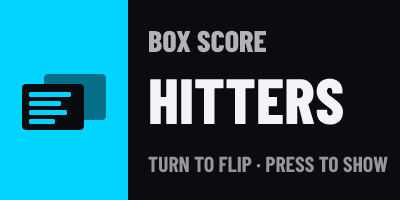
What it does
Turns the box score to its next page: hitters and pitchers, or offense, defense and special teams in football. The key shows the page that’s up.
Settings
Nothing to set.
Show the Broadcast Ticker and change its style.
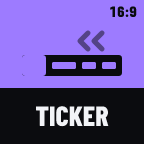
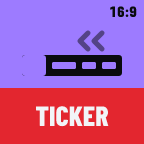
What it does
Shows or hides the Broadcast Ticker. The key lights while it’s on air.
Settings
9:16 needs a paid plan for that overlay.
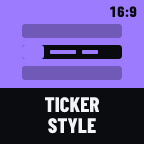
What it does
Changes the ticker’s style. The key shows the style that’s on now.
Settings
9:16 needs a paid plan for that overlay.
Run the Topics Panel and the Topic Bar: highlight topics, play their videos, show the watermark.


What it does
Shows or hides the Topics Panel, or the Topic Bar if you pick it. The key lights while it’s on screen.
Settings

What it does
Highlights one topic on the Topics Panel or Topic Bar. Press again to take the highlight off. The key shows the topic’s title and lights while it’s highlighted.
Settings
What it does
Moves the highlight to the next topic, on the Topics Panel and the Topic Bar together. After the last topic it goes back to the first.
Settings
Nothing to set.
What it does
Moves the highlight back to the previous topic, on the Topics Panel and the Topic Bar.
Settings
Nothing to set.

What it does
Plays one of the videos saved on the Topics Panel or Topic Bar. The key shows the video’s name and lights while it plays.
Settings

What it does
Stops the topic video that’s playing and hides it.
Settings
Nothing to set.


What it does
Shows or hides the watermark on the Topics Panel and the Topic Bar. The key lights while it’s showing.
Settings
Nothing to set.


What it does
Opens or closes the Topic Bar’s media reveal for the highlighted topic. The key lights while the reveal is open.
Settings
Nothing to set.
Take your saved graphics on and off air, and put players on your stat cards.

What it does
Shows or hides one of your saved graphics. The key shows the graphic’s name and lights while it’s on air.
Settings
9:16 needs a paid plan for that overlay.

What it does
Takes every graphic off air.
Settings
9:16 needs a paid plan for that overlay.

What it does
Steps a multi-post social or news graphic to its next post, or the previous one.
Settings
What it does
Shows or hides one of your stat cards with the player who’s already on air, so one press brings up another card for the same player. The key shows the card’s name and lights while it’s on air.
Settings
9:16 needs a paid plan for that overlay.

What it does
Solo: while it’s on, taking a graphic takes the others off, so only one is up at a time. Blackout: hides everything on air without clearing it; turn it off and they come straight back. The key lights while its switch is on.
Settings

What it does
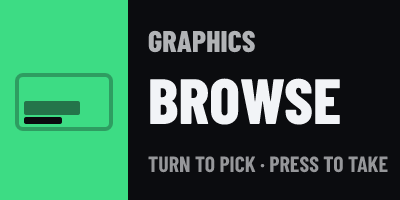
A Stream Deck + dial for your saved graphics. Its screen shows the graphic you’re on, its place in the list, and whether it’s on air.
Settings
What it does
Puts the player you picked on your stat cards. The key shows their picture and name, and lights while they’re the player on the card.
Settings
9:16 needs a paid plan for that overlay.
What it does
Sends your stat cards back to their saved player, or back to following the ScoreBug’s game. The key lights while a player you set is on the cards.
Settings
Nothing to set.

What it does
Changes what the stat card shows for the player on it. The key shows the setting that’s on now.
Settings

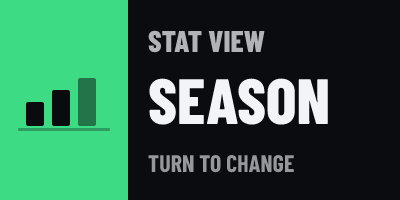
What it does
A Stream Deck + dial for what the stat card shows: situation split, line, season and photo, changed as you turn. Its screen shows the setting and its value.
Settings

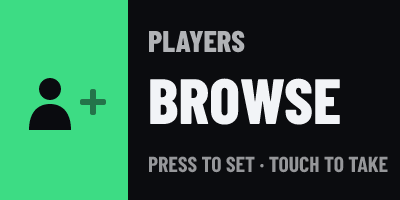
What it does
A Stream Deck + dial that browses leagues, teams and rosters and puts a player on your stat card. Its screen shows the league, team or player you’re on.
Settings
9:16 needs a paid plan for that overlay.
Go live on a countdown scene and run its clock.
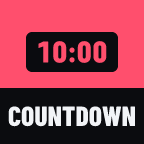
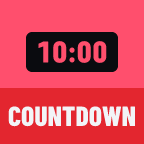
What it does
Shows or hides the countdown overlay. The scene and its clock stay as they are. The key lights while it’s showing.
Settings
Nothing to set.
What it does
Goes live on one of your saved countdown scenes; press again to hide it. The key shows the scene’s name and, while it runs, the time left.
Settings
What it does
Starts the live scene’s countdown, pauses it, or picks it up again. The key lights while it runs.
Settings
Nothing to set.

What it does
One countdown control per key. The key shows the time left while a countdown runs.
Settings
What it does
Resets the live countdown to idle, showing its full time. A countdown to a time of day or a date stays set.
Settings
Nothing to set.
What it does
Adds time to the countdown, or takes it off, while it runs or is paused. The key shows the amount.
Settings
What it does
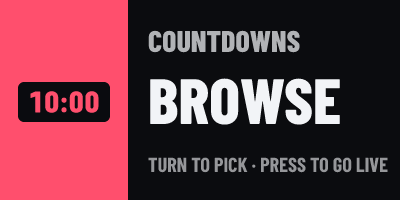
A Stream Deck + dial for your saved countdown scenes. Its screen shows the scene you’re on and whether it’s live.
Settings
Nothing to set.
Play your saved GIFs and images.
What it does
Plays one of your saved GIFs or images. The key shows its name and lights while it’s up.
Settings
What it does
Stops and hides the GIF that’s showing.
Settings
Nothing to set.

What it does
A Stream Deck + dial for your saved GIFs. Its screen shows the GIF you’re on and whether it’s up.
Settings
Nothing to set.
Play, pause and skip your saved videos.

What it does
Plays one of your saved videos. The key shows its name and lights while it plays.
Settings

What it does
Stops the video and hides the Video Player.
Settings
Nothing to set.
What it does
Pauses the video that’s playing, or plays it again. The key lights while it plays.
Settings
Nothing to set.

What it does
Plays the next video in your queue. At the end of the queue, it stops.
Settings
Nothing to set.

What it does
Plays the previous video in your queue.
Settings
Nothing to set.

What it does
Turns the Video Player’s sound on or off. The key lights while the sound is on.
Settings
Nothing to set.
What it does
One Video Player control per key. The key lights while its control is on, like loop on or the video paused.
Settings

What it does
A Stream Deck + dial for the Video Player’s volume. Its screen shows the volume and whether it’s muted.
Settings

What it does
A Stream Deck + dial for your saved videos. Its screen shows the video you’re on and whether it’s playing.
Settings
Nothing to set.
Score a game by hand. These keys need a ScoreBug or Scoreboard in Manual Mode (otherwise they say MANUAL OFF). Most have an Overlay setting: Auto (every overlay in Manual Mode, the default), ScoreBug or Scoreboard, and many a Hold setting: Hold reverses the key makes a half-second hold do the opposite (−1 on a +1 key).
What it does
Adds points for the away or home team, or takes them off. The key shows the team and its score.
Settings

What it does
Moves the game on to the next period, quarter, half, set or half-inning. The key shows where the game is.
Settings
What it does
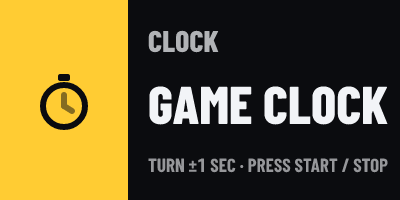
Starts or stops the game clock, sets it, or nudges it. The key shows the clock and lights while it runs.
Settings
What it does
Starts the game clock. The key lights while the clock runs.
Settings
What it does
Stops the game clock. The key lights while the clock is stopped.
Settings

What it does
Sets the game to Upcoming, Live or Final, steps through them, or puts a status line on the ScoreBug (like HALFTIME). A status line key takes its line off again on a second press.
Settings
What it does
Moves one number up or down: balls, strikes, outs, the inning, timeouts, sets, stoppage time, the down, the distance, or the ball’s spot. The key shows where it stands.
Settings


What it does
Turns one thing on or off: a runner on first, second or third, or the red zone. For possession and the serve, a press switches teams. The key lights while it’s on (for possession and the serve, while the home team has it).
Settings

What it does
Records the result for the batter up: strikeout, walk, hit by pitch, single, double, triple, home run, out or sacrifice. It needs a lineup in Manual Mode.
Settings

What it does
Moves on to the next batter, jumps to a spot in the batting order, or sets the pitcher.
Settings

What it does
One game control per key: undo the last change, swap the teams, reset the game (press twice within 3 seconds), pick the sport, clear the bases, reset the count, first down, goal to go, add an RBI, set the period length, go to a period, a foul ball, or rotate the serve.
Settings
What it does
Shows one live number from the game: the away or home score, the clock, the period, the count, the situation or the bases. It can also start and stop the clock, or reset the count, when pressed.
Settings

What it does
A Stream Deck + dial for one part of the game: a team’s score, the clock, the period, the count, outs, down and distance, added time, timeouts, sets, the serve, more at-bat results, the batter, the game status, the period length, swapping sides or resetting the game. Its screen shows it live.
Settings
Put chat messages on air. Feature Next needs the chat console open in your browser: it holds the chat.


What it does
Shows the chat message that’s on air: who sent it and, for a Super Chat, the amount. Press to clear it. The key lights only while a message is really up.
Settings
Nothing to set.
For accounts with Chat Highlight (in beta).
What it does
Puts the next waiting chat message on air, oldest first, each only once. The chat console must be open in your browser.
Settings
For accounts with Chat Highlight (in beta).


What it does
Puts a message you wrote on air as a chat highlight. Press again while it’s up to clear it. The key lights while it’s on air.
Settings
For accounts with Chat Highlight (in beta).

What it does
Shows whether the chat console is listening to your stream’s chat: LIVE, PAUSED or OFF, lit only while it’s live. Press to pause or resume, go live, or stop.
Settings
For accounts with Chat Highlight (in beta).
Start and run chat games. The chat console must be open in your browser: it runs the games.

What it does
The chat console’s NOW PLAYING button on a key: it shows the next step of the game on air (like Reveal now, Next clue or Close voting) with its clock. Press to take that step.
Settings
Nothing to set.
For accounts with Chat Highlight (in beta).
What it does
Starts a chat game with the chat console’s saved settings. The key lights while that game is on air.
Settings
For accounts with Chat Highlight (in beta).
What it does
Takes one step in a chat game on air: reveal the answer, next clue, close voting, draw a winner, nudge the credits and more. The key lights while its game is on air.
Settings
For accounts with Chat Highlight (in beta).

What it does
Stops the chat game on air, or everything. Stopping Trivia ends its scores, so it asks for a second press (PRESS AGAIN).
Settings
For accounts with Chat Highlight (in beta).
Keys that show live information from your overlays and from the ScoreBug’s game (a live game, not a hand-scored one). Most do nothing when pressed unless you set Press.
What it does
Shows the player on your stat card, with their picture. It lights while the card is on air. Press to show or hide the card.
Settings
9:16 needs a paid plan for that overlay.
What it does
Shows the season line of the player on your stat card (baseball players).
Settings
What it does
Shows the score of the ScoreBug’s game and where it stands (the inning and outs, or the clock). It lights while the ScoreBug is on air.
Settings
What it does
Shows the situation in the ScoreBug’s game: the count, outs and runners in baseball, down and distance in football, or the period and clock. It lights while the game is live.
Settings

What it does
Shows the batter up in the ScoreBug’s baseball game, with their picture and line tonight. Press to put them on your stat card.
Settings

What it does
Shows the pitcher in the ScoreBug’s baseball game, with their pitch count and strikeouts tonight. Press to put them on your stat card.
Settings

What it does
Shows the next batters due up in the ScoreBug’s baseball game.
Settings

What it does
Shows the type and speed of the last pitch in the ScoreBug’s baseball game.
Settings

What it does
Shows how hard and how far the last ball in play was hit, in the ScoreBug’s baseball game.
Settings
What it does
Shows who’s favoured to win the ScoreBug’s game, and by how much.
Settings

What it does
Puts the ScoreBug’s game on a Stream Deck + screen: the score and the situation. It lights while the ScoreBug is on air.
Settings

What it does
Shows how many graphics are on air, and how many of them on 16:9 and on 9:16. It lights while any graphic is up.
Settings

What it does
Shows the highlighted topic on the Topics Panel or Topic Bar, and its number.
Settings

What it does
Shows the Video Player clip that’s on, and whether it’s playing or paused.
Settings

What it does
Shows the centre takeover playing on the ScoreBug, or OFF.
Settings

What it does
Shows a race’s leader, the lap and any caution flag. It lights while the race is live.
Settings
The keys of the ready-made Stats deck. They aren’t in the Stream Deck actions list: open the deck to use them. All of them move one place per Stream Deck, so every key follows along.

What it does
Shows where you are: a league, a team or a player (with their picture), and its place in the list. Press to pick: a league opens its teams, a team its players, and a player goes on your stat card.
Settings

What it does
Steps back one league, team or player. At the start of the list it goes round to the end.
Settings
Nothing to set.

What it does
Steps forward one league, team or player.
Settings
Nothing to set.

What it does
Goes back up a step: from players to teams, from teams to leagues. The key shows where it goes.
Settings
Nothing to set.
What it does
Picks what the Select key shows, the same as pressing Select. The key shows what it opens next.
Settings
What it does
Shows the league, team or player a few places before or after Select. Press to jump there.
Settings
What it does
Shows the league you’re in. Press to go back to picking a league.
Settings
Nothing to set.
What it does
Shows the team you picked. Press to go back to picking a team.
Settings
Nothing to set.

What it does
Narrows a roster: hitters or pitchers in baseball, a position group in football, or forwards, defense or goalies in hockey. Press for the next filter; the key shows the one that’s on.
Settings
Nothing to set.
What it does
Jumps ten places through a long list, or back ten.
Settings

What it does
Stars the player you’re on, so your favorites come first in their team’s list. Press again to unstar. Favorites are kept on this computer.
Settings
Nothing to set.

What it does
Picks what the card shows: season, career, a split (vs LHP, vs RHP, RISP) or last year in baseball; season, career or playoffs in hockey. Other leagues show the season (SEASON ONLY).
Settings
Nothing to set.
What it does
Picks which of your saved stat cards the player goes on, or all of them.
Settings
Nothing to set.
What it does
Picks where the card goes when you take it: BOTH, 16:9 or 9:16. It stays blank on accounts without 9:16 Graphics (a paid plan for Graphics).
Settings
Nothing to set.
What it does
Puts your stat card on air with the player you picked, or takes it off. It lights while the card is on air.
Settings
What it does
Goes back to the list of leagues. The ready-made decks have an OPEN SHOW key in its place (the League key does this job).
Settings
Nothing to set.

What it does
A Stream Deck + dial for the league (the minor-league levels are in the list).
Settings
Nothing to set.

What it does
A Stream Deck + dial for the team, with its logo on the screen.
Settings
Nothing to set.

What it does
A Stream Deck + dial for the player, with their picture on the screen.
Settings
Nothing to set.

What it does
A Stream Deck + dial for what the card shows (the same choices as the Stat View key).
Settings
Nothing to set.
Your connection, the look of every key, and the ready-made decks.

What it does
Shows your connection: CONNECTED, CONNECTING, OFFLINE, UPDATE when a new plugin is out, or SIGN IN when this Stream Deck isn’t signed in. Press it to sign in, to download the update, or to reconnect.
Settings
What it does
Switches this Stream Deck to a ready-made deck, or back to the profile you came from. The deck installs itself the first time. The key shows OPEN SHOW, OPEN STATS and so on.
Settings
When a press can’t go through, the key flashes a short word for a couple of seconds. Here’s what each one means and what to do.
SIGN INNew in 2.0.1
This Stream Deck isn’t signed in, or its saved key stopped working. Press the Status key once: your browser opens, click Connect.
CONNECTED
Signed in and connected. Nothing to do.

CONNECTING
Reaching StreamSlayers. Give it a moment; if it stays, check your internet.
OFFLINE
StreamSlayers can’t be reached. Check your internet, then press the Status key to try again.
UPDATE
A new plugin is out. Press the Status key to download it, then double-click the file: your buttons carry over.
CODE EXPIREDNew in 2.0.1
The code ran out after ten minutes. Press the Status key for a new one.
SIGN IN NOT YETNew in 2.0.1
The website isn’t offering sign-in yet. Use Set up by hand instead in the Status key’s settings for now.
SIGN IN OFFLINENew in 2.0.1
StreamSlayers couldn’t be reached to sign in. Check your internet, then press again.
TRY LATERNew in 2.0.1
Too many tries in a short time. Wait a minute, then press again.
TRY AGAINNew in 2.0.1
Something went wrong while signing in. Press the Status key again.
ABCD-EFGH · OPEN BROWSERNew in 2.0.1
Signing in: the key shows a code, and the page in your browser shows the same one. Click Connect there. Press the key to open the page again.
DENIED PLANNew in 2.0.1
The account you connected can’t use Stream Deck: it needs an active Single App or Pro Slayer plan. Sign in with the right account.
DENIEDNew in 2.0.1
The sign-in was turned down. Press the Status key and try again with your StreamSlayers account.
SET UPPlugin 2.0.0 and earlier
No account saved on plugin 2.0.0. Update the plugin and sign in, or paste your API key and user ID into any one button’s settings.
SIGN INNew in 2.0.1
The key needs your account. Press the StreamSlayers: Status key to sign in.
SET UPPlugin 2.0.0 and earlier
Plugin 2.0.0 with no account saved. Update the plugin and sign in, or set it up by hand.
PAID
That overlay, or its 9:16 version, isn’t in your plan. Check your plan, or set the key’s Output to 16:9.
PRO
This key’s feature isn’t on your account. Chat Highlight and Chat Games keys show it on accounts without Chat Highlight (in beta).
OFFLINE
StreamSlayers didn’t answer, so the press didn’t go through. Check your internet and press again.
NO GAME
Nothing to act on: no game picked on the key, no game set on the ScoreBug, or no chat game on air.
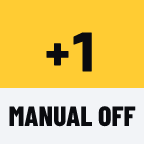
MANUAL OFF
No ScoreBug or Scoreboard is in Manual Mode. Turn Manual Mode on in its settings.
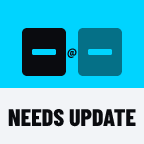
NEEDS UPDATE
This needs a newer StreamSlayers plugin or server. Update the plugin from your dashboard.
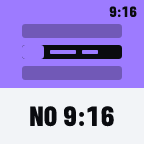
NO 9:16
That overlay has no 9:16 version set up, or the style or design isn’t made for 9:16. Set up the 9:16 version, or pick 16:9.

NO PROFILE
There’s no ready-made deck for this Stream Deck model. The decks are for the Stream Deck (15 keys), the XL and the Stream Deck +; MLB Rosters is for the XL only.

PRESS AGAIN
Press again within 3 seconds to confirm (stopping Trivia, or resetting a hand-scored game).
Warning triangle
The press didn’t work: there was nothing to act on (an empty slot, nothing to undo) or StreamSlayers turned it down. Check the key’s settings.

OPEN CONSOLE
No chat console answered. Open the chat console in your browser: press the key again and it opens.
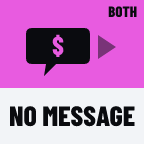
NO MESSAGE
No message is waiting that matches the key’s filter.

WAIT
The game is between steps (shuffling, spinning). Press again in a moment.
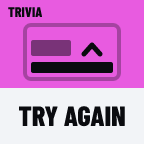
TRY AGAIN
The step changed before your press landed. Press again.

GAME ON AIR
Another game is on air. Stop it first.

NOT READY
The game isn’t ready to start yet, for example Memory Match without enough faces.

NOTHING SAVED
That game has nothing saved to play, like an empty question bank or no saved race. Set it up in the chat console.
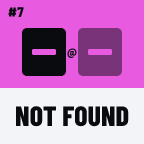
NOT FOUND
The round, matchup or race number on the key doesn’t exist.

DESKTOP APP
The old desktop Stats Card app is running games on the same overlay. Close it, then start the game again.

NO VIDEO
The listener has no stream to listen to. Put a YouTube link on the key, or go live once from the chat console.
AT THE TOP
You’re already at the list of leagues.
NO FILTER
This league has no position filter.
SEASON ONLY
This league’s cards show the season only.
PICK A PLAYER
Go to a player first, then star them.
SAVED
The player is starred and comes first next time.
UNSAVED
The star is off.
ON AIR
The player is on your card, and the card is on air.
ON THE CARD
The player is on your card. Press Take to put it on air.
No. Download the new version from your dashboard and double-click it: it installs right over the old one, and every button, setting and deck stays.
This Stream Deck isn’t signed in, or its saved key stopped working (for example after you regenerated your API key). Press the StreamSlayers: Status key, click Connect in your browser, and every key comes back.
Each Graphics key picks 16:9, 9:16 or Both in its Output setting (Both is the default). If a graphic still shows where it shouldn’t, refresh the Graphics browser source in OBS once (right-click it, then Refresh), so it picks up the output.
Each dial has its own part of the screen: it shows what the dial controls (a graphic’s name, the clock, a player’s picture) and a short hint like TURN TO PICK · PRESS TO TAKE. Touching a part is usually the same as pressing its dial, and touching and holding does its extra job, like hiding all graphics.
Yes, on macOS 12 or newer. Mac support is in beta: if something looks off, tell us.
You don’t need it: signing in connects your Stream Deck. If you want it anyway, it’s on your dashboard under Stream Deck, Set up by hand instead (API key), with SHOW and COPY.
Only if you’d rather paste a key: open the StreamSlayers: Status key’s settings, open Set up by hand instead (API key), paste the API key and user ID from your dashboard, and Save. One account sets up every button. On plugin 2.0.0, paste them into any one button’s settings.
Check that the Status key says CONNECTED. If it does, open its settings, then Advanced, and make sure Dry run is off: it logs presses instead of sending them.
The Stream Deck (15 keys), the XL and the Stream Deck +. The MLB Rosters deck is for the XL only. Every button works on the other models too: drag the ones you want onto your own profile.