Live Broadcast Graphics
One graphics toolkit for your stream: lower thirds & nameplates, extruded 3D titles, and live social-post embeds — X, Facebook, Instagram, and YouTube — plus uploaded post images. Add any image with player search, URL, or upload, remove the background in one click, then recolor, resize, and reposition it anywhere on screen. One browser source in OBS.
FEATURES
LOWER THIRDS, TITLES & GRAPHICS
Organized into three groups — Lower Thirds, Text & Titles, and Graphics. Broadcast, sports, news, social, esports, and creative designs — from clean glass plates to cable-news bars and team nameplates. Pick one, drop in your text, and go.
REAL 3D TITLES & LOWER THIRDS
Extruded 3D title text that animates in letter-by-letter, plus six lower thirds that tilt in true 3D with layered parallax depth. Dial the tilt intensity up and down, or flatten to 2D.
STARTING LINEUP BOARDS
The full starting lineup as a broadcast board, filled from live data: batting orders with faces and season lines, hockey forward lines and pairings, soccer XIs with the formation, basketball fives. Five styles — three cut to match the scorebug themes, a full-bleed showcase built for a video backdrop, and one that lays the starters out on the field, court or sheet itself. Baseball, minors and winter ball, hockey, soccer, basketball and football, with an honest pre-game state until the lineup is posted.
LIVE STAT CARDS THAT FOLLOW THE GAME
Multi-sport stat graphics that pull a real player's season, career or split numbers on demand. Tick Follow my ScoreBug and the card stops being one saved player — it tracks whoever is at the plate in the game your scorebug is set to and re-points itself as the inning goes. Your saved design is untouched; untick it and the card is exactly as you built it.
LIVE SOCIAL POST EMBEDS
Drop a live X, Facebook, Instagram, or YouTube post on screen — paste the post link or its embed code, or upload a post image. Frame it with a transparent, frosted, custom-image, or solid background, then position, scale, and crop.
ADD ANY IMAGE
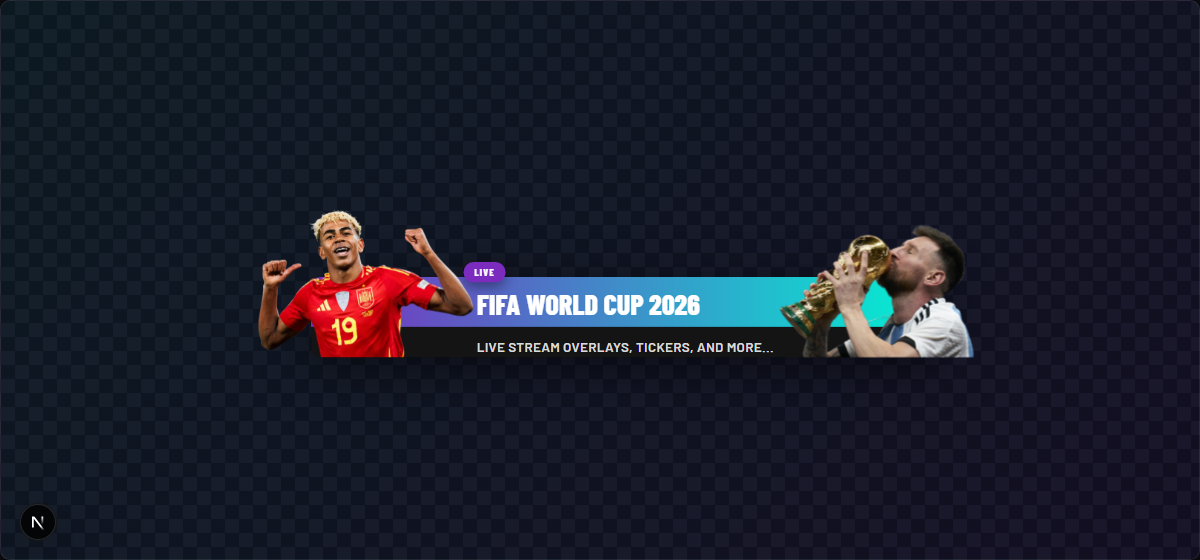
Search a player or person by name, paste an image URL, or upload your own (HEIC, PNG, JPG, WebP). Stack up to three image layers per lower third — headshots, logos, cut-outs.
1-CLICK BACKGROUND REMOVAL
Strip the background off any photo with in-browser AI — no third-party uploads, no Photoshop. Turn a stock headshot into a clean cut-out that floats over the bar.
RESIZE, CROP & STYLE IMAGES
Size, crop with a drag-box, rotate, and add a stroke or drop shadow per image. Attach cut-outs to either side of the bar and control how far they overhang.
FULL COLOR & TEXT CONTROL
Recolor accents, text, and background to match your brand. Move the title, subtitle, and kicker independently, and scale the type up or down.
9 POSITIONS + 13 TRANSITIONS
Anchor to any of nine positions with free pixel offsets and scale. Bring lower thirds in and out with wipe, slide, scale, flip, bounce, and blur. Hide on a timer or manually.
STREAM DECK READY
Keep a library of lower thirds and trigger any of them live from your dashboard or a physical Stream Deck button. Solo mode auto-hides the rest when you show one.
TECH SPECS
HOW IT WORKS
- 1
Pick a template
Choose from 35 designs — including six real 3D lower thirds and four live multi-sport stat graphics — and drop in your eyebrow, title, and subtitle.
- 2
Add images & colors
Search a player or upload a photo, remove its background in one click, then recolor the bar and move the text to match your brand.
- 3
Add the browser source
Copy your unique overlay URL from the dashboard and add it as a fullscreen browser source in OBS.
- 4
Trigger live
Show or hide any lower third from the dashboard in real-time — or map them to Stream Deck buttons.
STEP-BY-STEP SETUP GUIDE
How to add lower thirds & broadcast graphics to OBS — with annotated screenshots
PRICING PLANS
Get Graphics on a Single App plan, with Countdowns, GIF Player, Video Player and Topics included — or get all Pro Slayer overlays and apps.
Single App
Graphics, every Pro feature.
or $11.99/mo billed annually
From October 23: $19.99/mo, or $15.99/mo billed annually. Subscribe before then to keep today's price.
- 1 app of your choice
- Countdowns, GIF Player, Video Player & Topics included
- Real-time live data
- Full customization
- Monthly or annual billing
Pro Slayer
All Pro Slayer overlays and apps.
or $23.99/mo billed annually
- All Pro Slayer overlays & apps
- Real-time live data
- Streaming Assets: OBS stingers & more
- Priority support
- Monthly or annual billing
No contracts · Cancel anytime · Secure checkout
Single App goes to $19.99/month on October 23, 2026. Subscribed before then? You keep your price while your plan stays active.
Questions before you buy? The fastest way to reach us is our Discord.
No contracts · Cancel anytime · Secure checkout